
 IasoAI Support Assistant for SAP Integration Suite
Iaso watches SAP Cloud Integration and analyzes every failed message with models deployed in your own SAP AI Core. When your team opens an incident, the root cause, a suggested fix, severity, and category are already there.
Iaso is an AI support assistant for SAP Integration Suite, built by Sygeon and available on SAP Store. It monitors SAP Cloud Integration for failed messages, analyzes each one with models deployed in the customer's own SAP AI Core, and keeps proven resolutions in SAP HANA Cloud, so recurring failures are diagnosed and closed in minutes instead of hours. Operators can also ask Iaso questions in a chat that answers from their own incidents, flows, and knowledge base, with cited sources.
Integration support time goes into two things: diagnosing failures and re-solving problems somebody already solved. Iaso takes over both.
Failures from the night are triaged by morning: root cause, suggested fix, severity, and category. Work starts at the fix, not at the stack trace.
When a failure recurs, last time's fix is shown next to the new incident, and open duplicates close in one confirmation.
An order number or a plain description leads straight to the failed message. "Where is my order?" is answered while the caller is on the line.
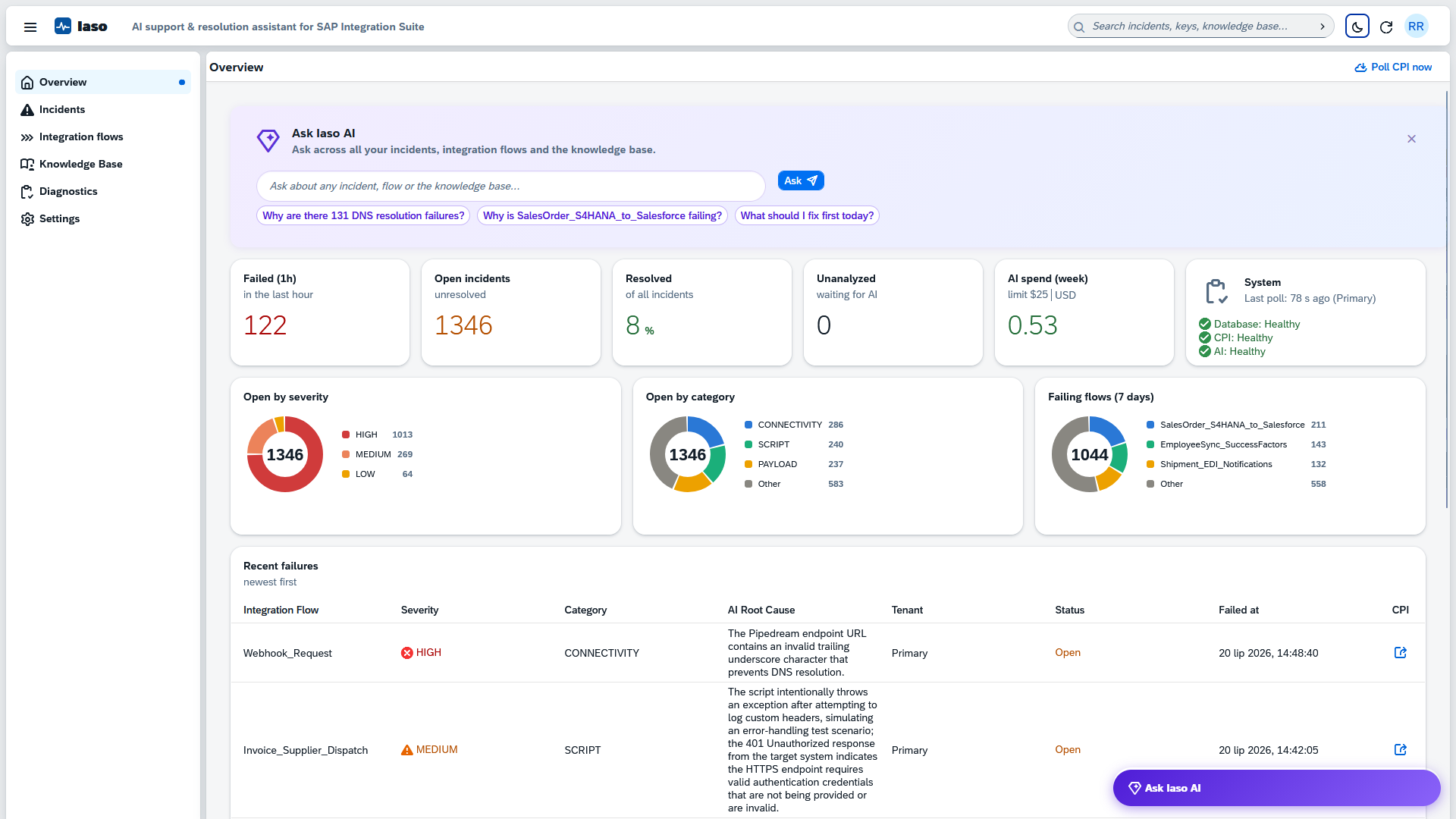
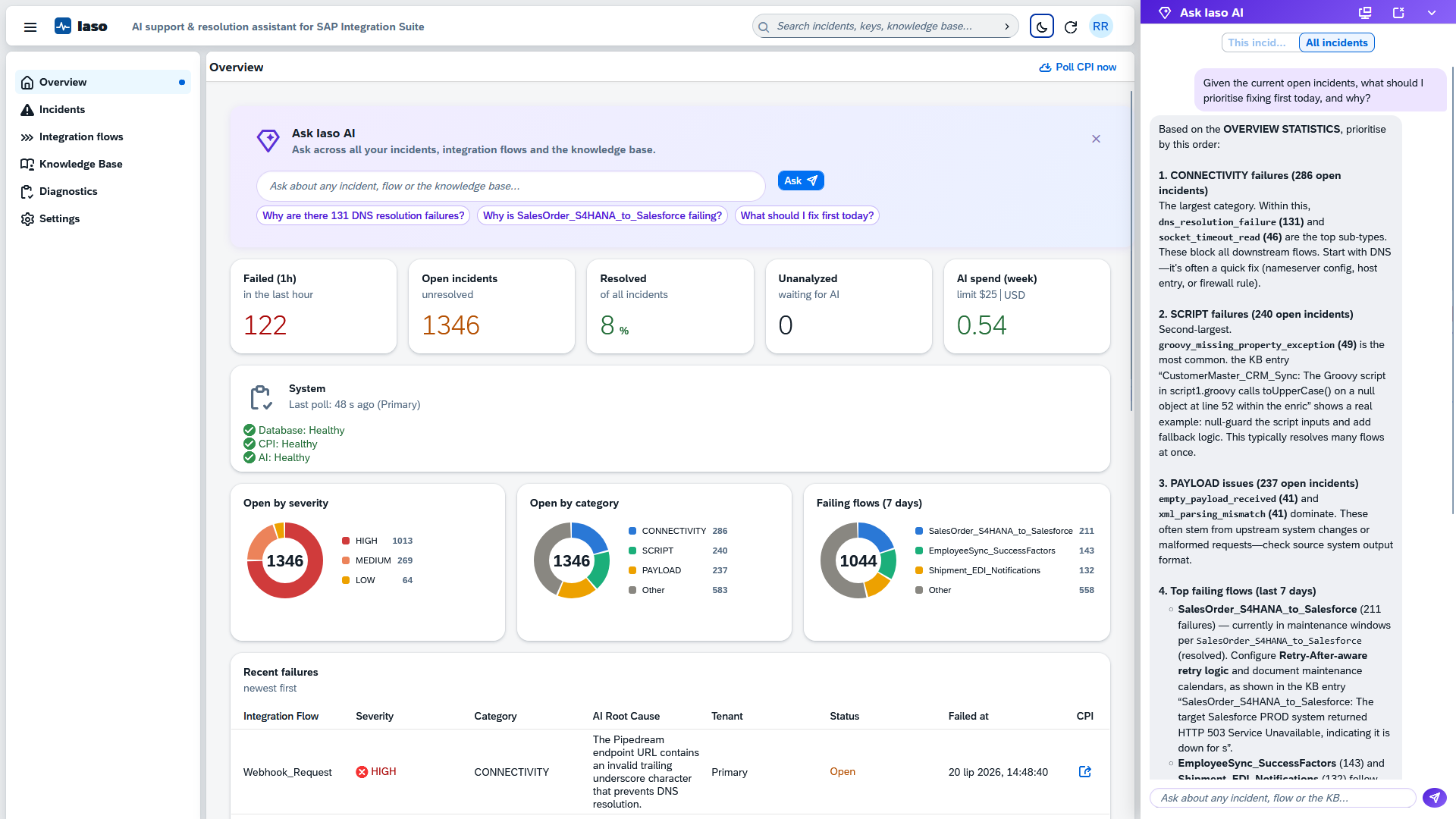
The operations overview: open incidents by severity, category, and failing flow, with drill-down to the filtered work list.
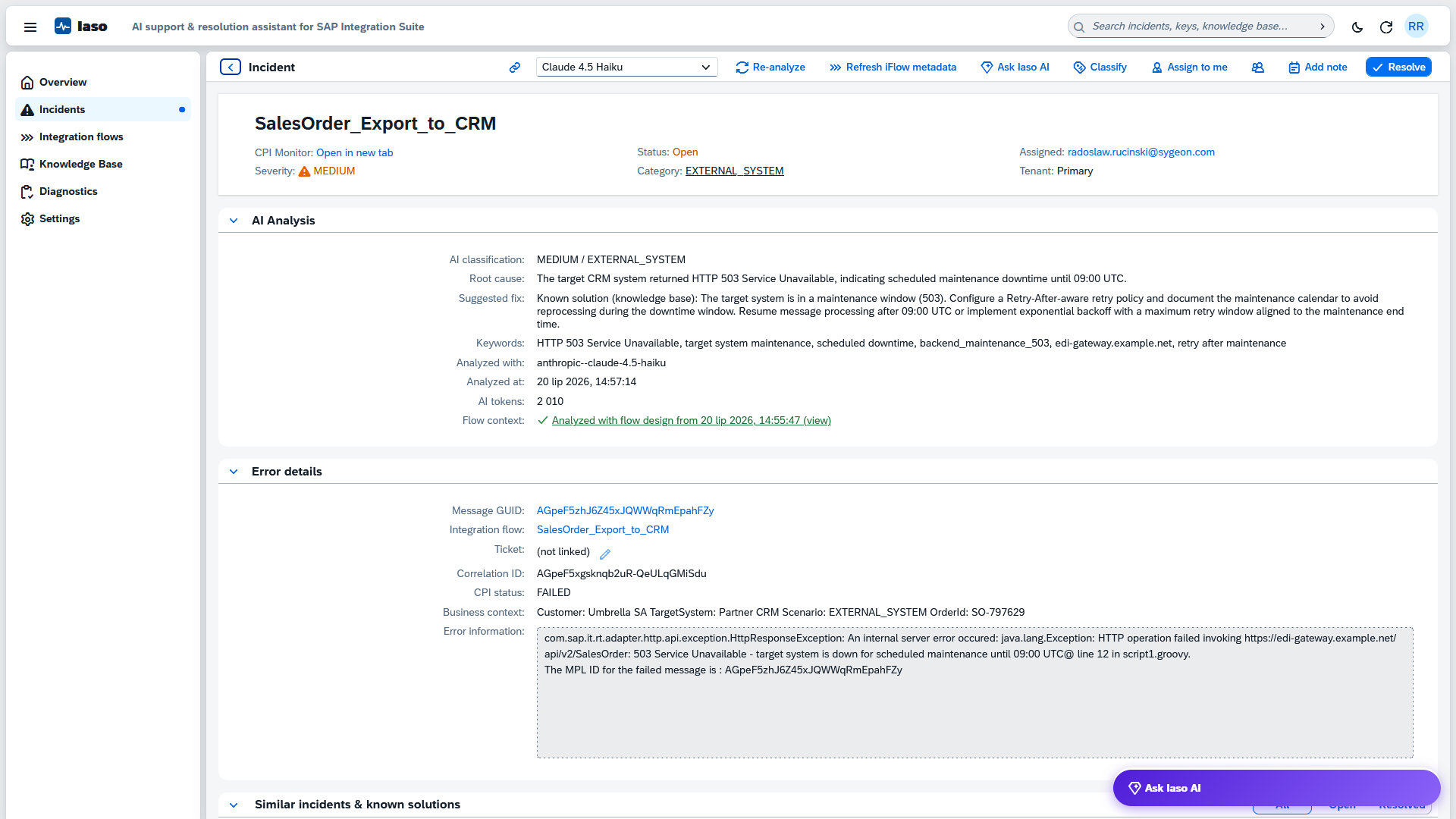
Models deployed in your SAP AI Core read every failed message and return the root cause in plain language, with a concrete suggested fix. A typical analysis costs cents.
With optional flow context the analysis understands the failing flow's design, so the fix names the actual step.
Every resolution is embedded and stored in your SAP HANA Cloud. When a similar failure recurs, the proven fix appears next to the new incident, and open duplicates close in one confirmation.
The knowledge lives in your subaccount, not in one colleague's head.
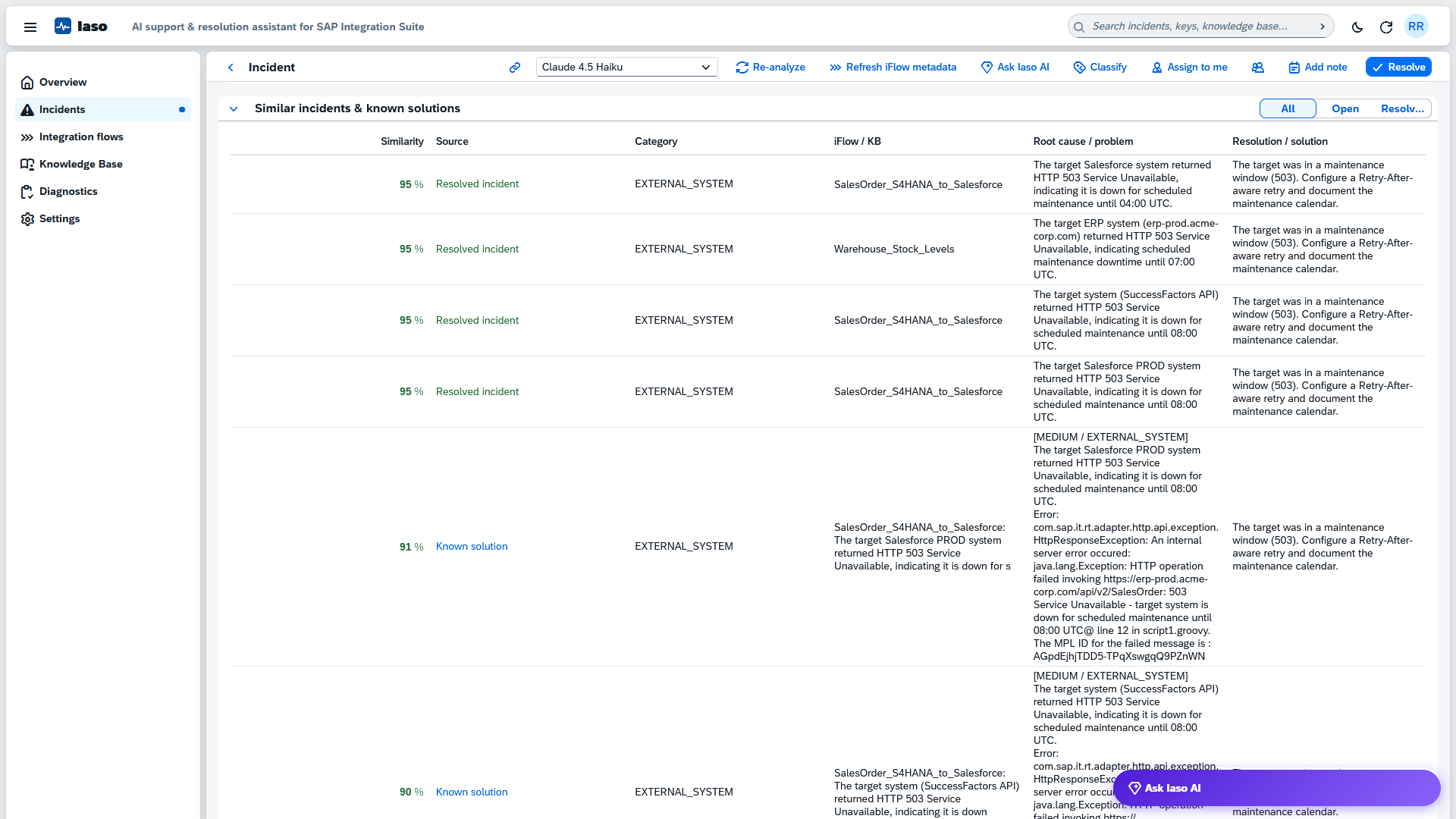
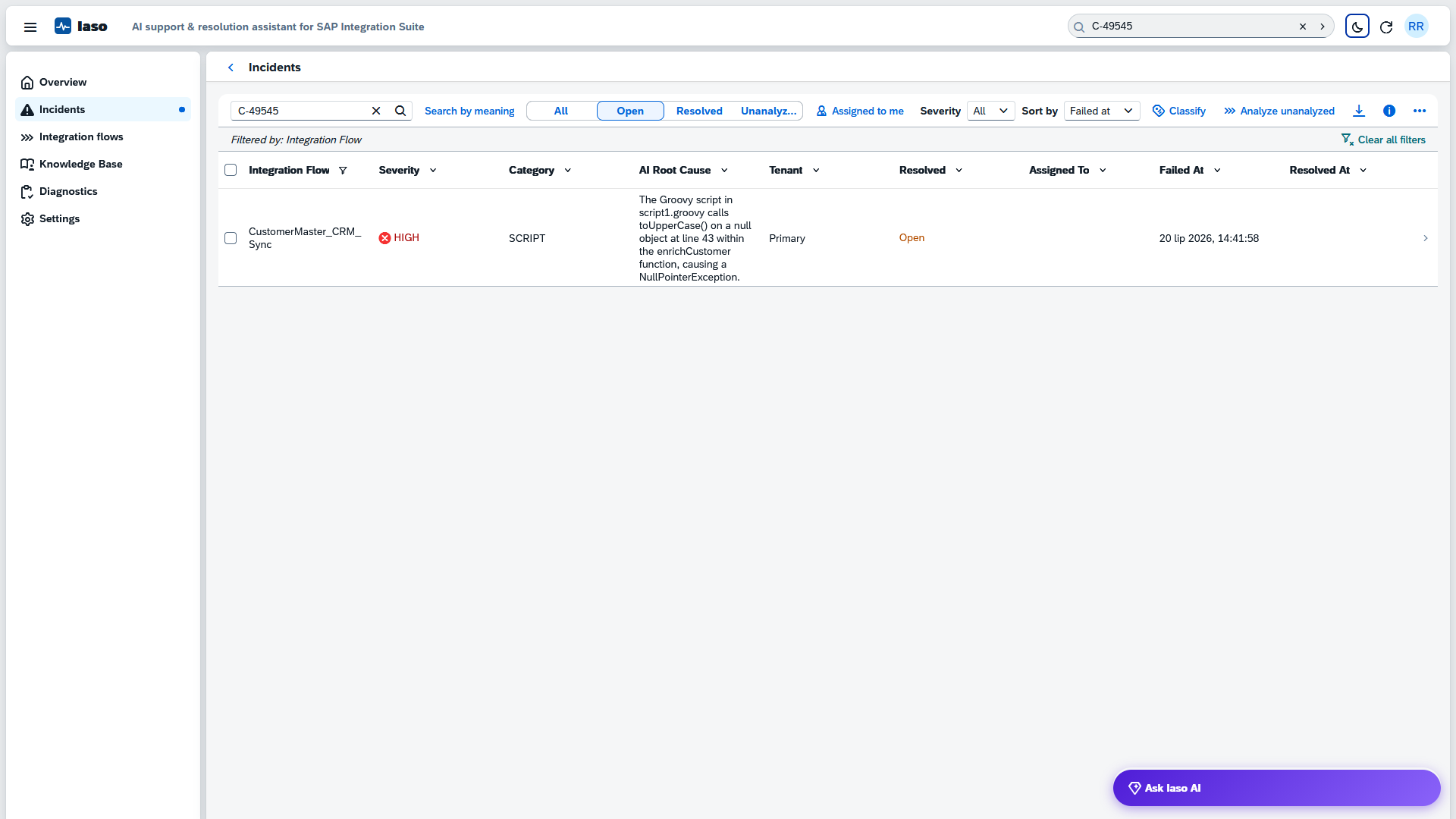
Search by business keys such as order or customer numbers straight from the header of every screen, or search by meaning: semantic search finds the connection failures however differently the errors were worded.
Ask Iaso answers questions about a single incident or the whole landscape: why a flow keeps failing, whether a known solution exists, what to fix first today. Answers come from your incidents, integration flows, operator notes, and the knowledge base.
Every answer cites its sources, such as the matching knowledge base entry or a 95% similar resolved incident, and links the next action in the app. Per-user daily limits and the weekly AI budget keep chat usage bounded.
Root cause, suggested fix, severity, and category for every failed message.
Grounded answers about one incident or the whole landscape, with cited sources and in-app actions.
Similar past incidents and their proven fixes, with one-step mass close of duplicates.
Find incidents by meaning, or by business keys such as order numbers.
Shared and searchable, with CSV import and export.
Analysis that understands the failing integration flow's design.
Severity-based notifications to any endpoint, ready for your automation platform.
Open incidents by severity, category, and failing flow, with KPI drill-down.
Weekly AI budget with a hard stop and per-model usage reports.
Spreadsheet-style value filters with counts on every table column.
EUR 365.24 per month is about EUR 12 per day, with no per-user or per-message pricing. If it saves one hour of diagnosis per day, it has paid for itself. Editions differ by production deployments and support level, never by held-back features.
The subscription covers the software, onboarding, and support. SAP HANA Cloud and SAP AI Core run in your own SAP BTP subaccount, billed by SAP under your existing contract; a weekly budget cap keeps AI consumption predictable.

A guided demo on our tenant: an incident arrives, is analyzed, matched to known fixes, and closed. Bring your hardest error scenarios.
One MTA archive, one deploy command, into your own subaccount. Sygeon assists at no extra cost.
Current failed messages arrive already analyzed. Seed the knowledge base and suggestions get sharper from day one.
Pick a slot. The demo runs 30 minutes; the calendar invitation with a short agenda arrives automatically, no preparation needed.
Standard MTA deployment into your own SAP BTP subaccount. No external SaaS, no additional infrastructure.
Least-privilege, read-only access to the Cloud Integration API. Message payloads and attachments are never read.
Analysis and embedding models run in your own SAP AI Core. You pick the model per task.
Viewer, Operator, and Administrator roles through XSUAA, enforced on the server for every action.
Incidents, notes, and embeddings live in your SAP HANA Cloud, and everything exports to CSV at any time.
A weekly budget cap that actually stops, plus per-incident retry limits and full token transparency.
The challenge, the solution, and the architecture, ready to share internally.
Download PDF →Screenshots of the whole incident lifecycle, from failure to proven fix.
Download PDF →No. Iaso connects to SAP Cloud Integration through a least-privilege API client with a read-only monitoring role. It reads message headers, error information, and custom header properties, never payloads or attachments. All data it stores stays in your own subaccount.
The models you have deployed in your own SAP AI Core through Generative AI Hub, billed on your own SAP conditions. You choose the analysis and embedding model per task and can switch at any time. A typical analysis costs cents; a weekly budget cap with per-incident retry limits keeps consumption predictable.
Ask Iaso answers only from your data: incidents, integration flow designs, operator notes, and the knowledge base. Each answer lists the sources it used, such as the matching knowledge base entry or a similar resolved incident, and the assistant recommends only actions that exist in the app. Chat usage counts against the same weekly AI budget, with per-user daily limits.
Typically an afternoon. Iaso installs as a single MTA archive with one deploy command; the remaining steps are creating a read-only API user for SAP Cloud Integration, one destination, and selecting the AI models. Sygeon walks through all of it with you as part of onboarding. Prerequisites: an SAP BTP subaccount with the Cloud Foundry runtime, SAP HANA Cloud, an SAP Integration Suite tenant with the OData API enabled, and SAP AI Core with Generative AI Hub.
As a monthly subscription from Sygeon. The Standard Edition is EUR 365.24 per month with a 12-month minimum and covers one production deployment with unlimited users and unlimited development and test deployments. For multiple production deployments, the Enterprise Edition is available upon request. Iaso is listed on SAP Store; inquiries placed there reach us directly, or you can simply contact us for a quote.
It is yours. Incidents, notes, and the knowledge base live in your own SAP HANA Cloud and export to CSV at any time, so the history your team built stays with you.
A 30-minute walkthrough: a failed message arrives, is analyzed, matched to known fixes, and closed. Then we discuss your landscape.
SAP, SAP Integration Suite, SAP HANA Cloud, and SAP AI Core are trademarks of SAP SE. Iaso is a solution of Sygeon and is not a product of SAP.