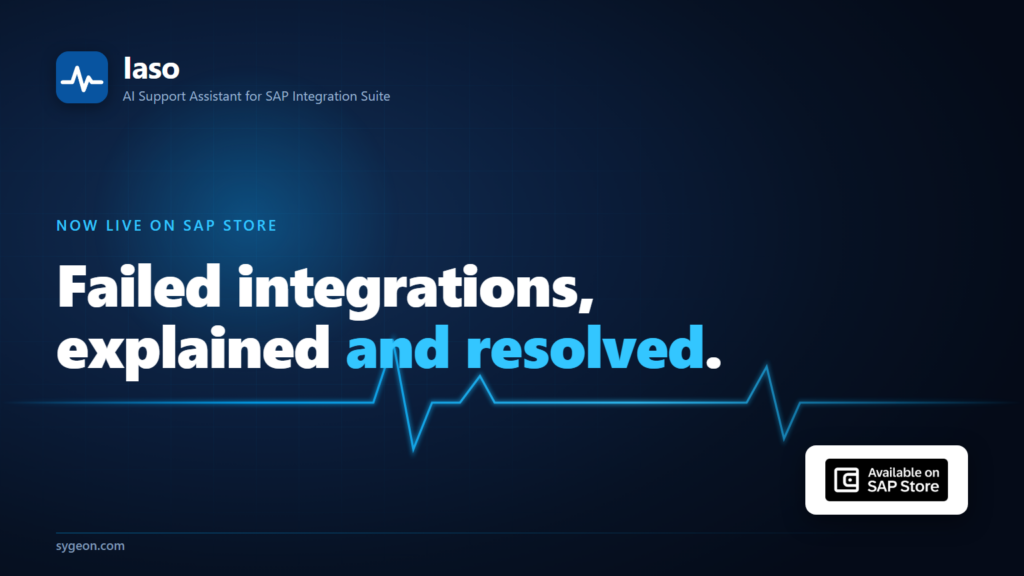
This week a new tool went live on SAP Store: Sygeon Iaso, an AI Support Assistant for SAP Integration Suite.
The real problem it solves is probably not the one you expect. Your best integration person can look at a failed message in SAP Cloud Integration and name the fix in seconds. An expired client certificate, a downstream system that timed out, a mapping that broke when a field changed upstream. They have seen it a hundred times. That fluency is exactly the risk. The knowledge lives in one or two heads, it is not written down anywhere the next person can find it, and there is only so much of that person to go around. When they are on holiday, when the failure hits at 2am, or when they move to another company, the knowledge leaves with them. The next person starts the same diagnosis from zero, and the fix that already worked once is nowhere to be found.
Iaso is built to keep that knowledge in the company. Here is what it does, who it is for, and how it is built.
What Iaso does
Iaso watches SAP Cloud Integration and analyzes every failed message on arrival with models deployed in your own SAP AI Core. More importantly, it turns each resolution into something the whole team keeps. By the time anyone opens an incident, the answer is already assembled:
- The proven fix from last time. Every incident and its resolution is embedded and stored in your SAP HANA Cloud. When a similar failure recurs, vector search puts the past resolution right next to the new incident, and open duplicates close in one confirmation. The fix your expert wrote once is now available to everyone, every time.
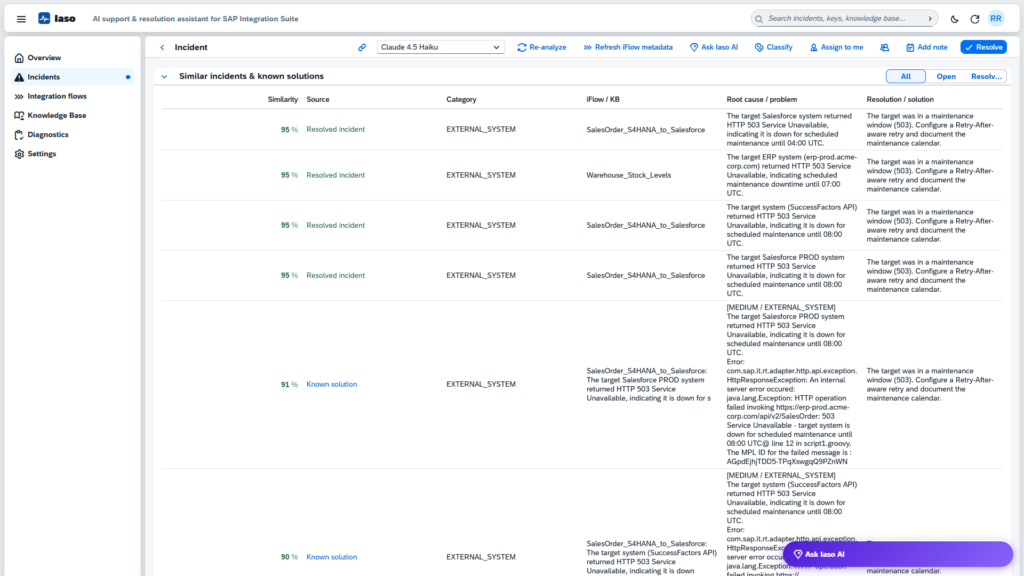
- A plain-language root cause and a suggested fix, plus severity and category, so the person on shift at 2am starts from an explanation instead of a stack trace.
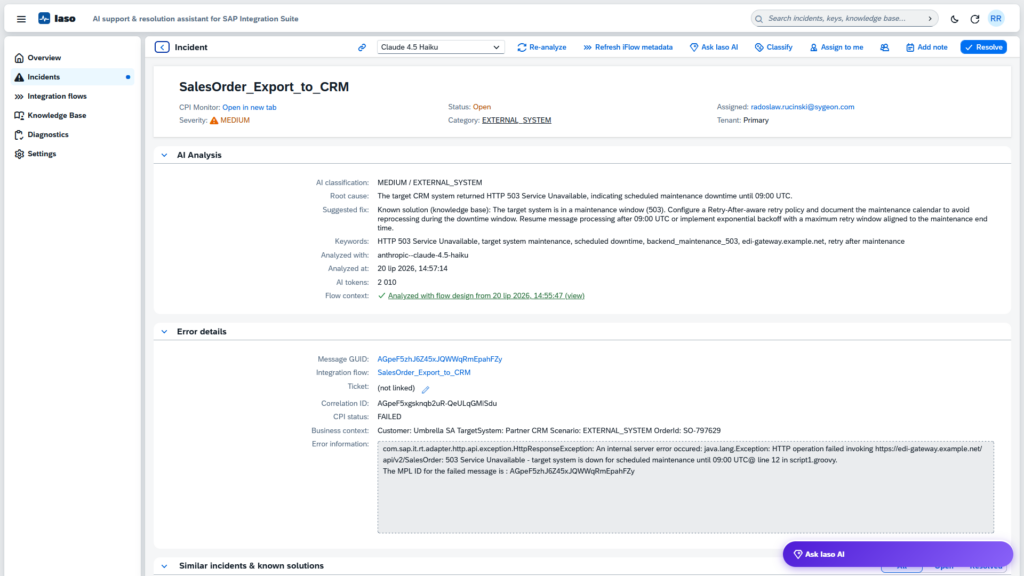
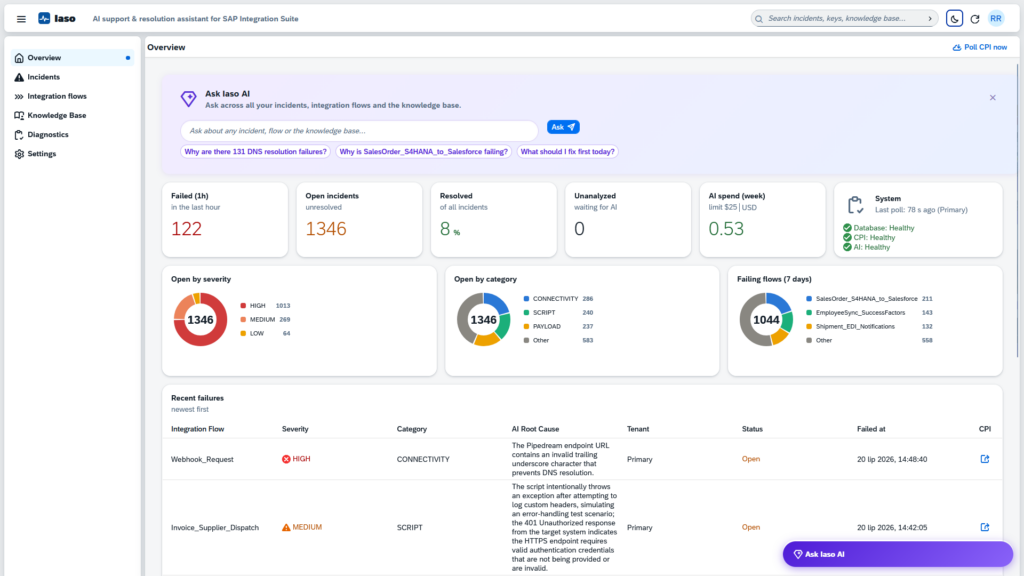
- Analysis that knows your flows. Iaso keeps an overview of your integration flows, which ones fail most and which have open incidents, and syncs each flow’s design-time metadata from SAP Integration Suite. Every error is then analyzed in the context of how its flow is actually built, with a link straight to the flow in the designer.
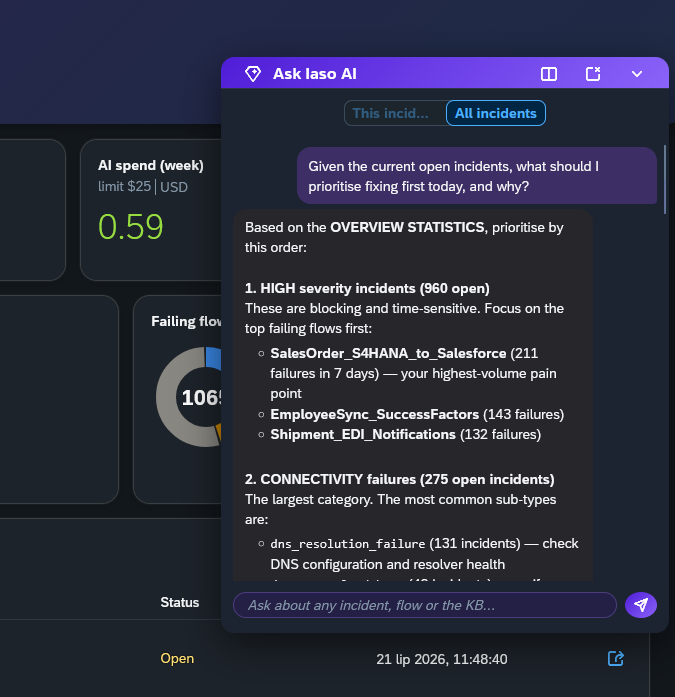
- Ask Iaso. A chat grounded only in your own incidents, integration flows, and knowledge base. Ask why something failed or how a past case was handled, and get an answer that points you to the right screen or the relevant SAP Help page, never to invented steps.
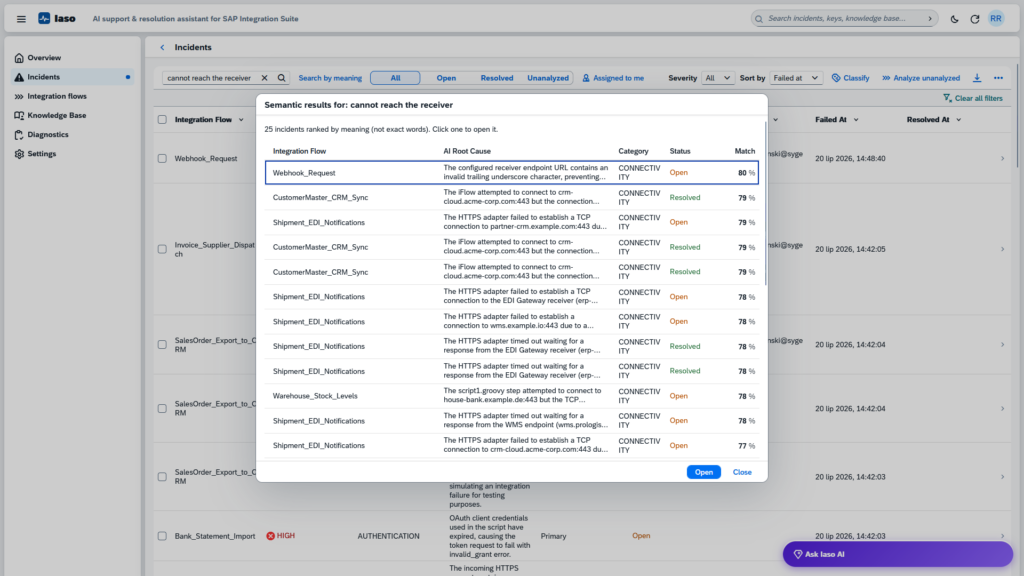
- Find anything. Search incidents by meaning, even when the error is worded differently, or jump straight to a message by a business key such as an order number. “Where is my order?” gets answered while the caller is still on the line.
- A constant overview, with alerts. Dashboards by severity, category, and integration flow show the health of the whole landscape without opening the CPI monitor. Webhook alerts route new failures by severity to the channels your team already watches, and incidents link to your ticketing system.
The point is not that Iaso diagnoses faster than your best person, but that it remembers what your best person already knows and makes it work for the whole team long after that morning is over.
Who it is for
Iaso is for the teams who carry integration knowledge for the whole landscape: the Center of Excellence, operations and support teams working the daily message queue, and the integration leads and architects who own uptime and worry about what happens when a key person leaves. It is also built for the people who have to approve a new tool before it goes anywhere near production, which brings us to how it is built.
How it is built
Iaso is BTP-native. It deploys as a single standard MTA into your own SAP BTP subaccount. There is no external SaaS and no separate infrastructure to run. Everything lives where your landscape already lives, including the knowledge it accumulates.
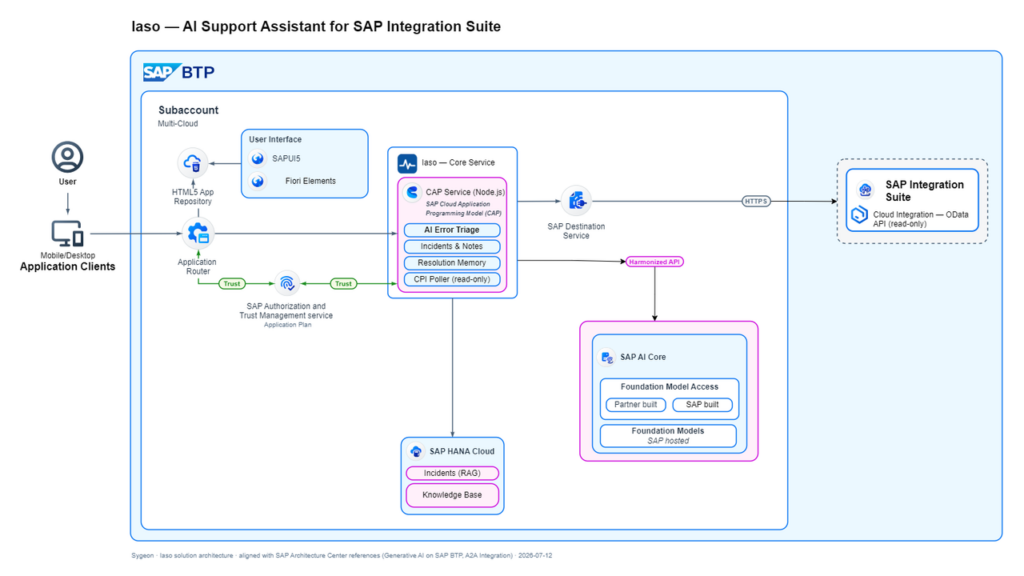
- Read-only and least-privilege. Iaso reads the Cloud Integration monitoring API read-only, with least-privilege access. It sees message headers and error information.
- Your models, your AI Core. Analysis and embedding models run in your own SAP AI Core, and you choose the model per task. No integration data leaves your landscape at any point.
- A budget with a hard stop. A weekly AI spend cap that actually stops, plus per-incident retry limits. A typical analysis costs cents, and every token is visible in diagnostics.
The knowledge base that Iaso builds is yours. It stays in your SAP HANA Cloud, imports from your existing ticketing history, and exports to CSV whenever you want it.
What it costs
The Standard Edition is €365.24 per month on a 12-month minimum, covering one production deployment with onboarding and support. That is about €12 a day. A full month costs less than half a day of an integration consultant, and this one captures every fix your team writes, makes it searchable for everyone, and never hands in notice. The Enterprise Edition covers multiple production deployments with priority support. Every feature ships in every edition, with unlimited users and unlimited development and test deployments. Editions differ by production deployments and support, never by held-back features.
The Iaso price covers the software, onboarding, and support. SAP HANA Cloud and SAP AI Core run in your own SAP BTP subaccount and are billed by SAP under your existing contract.
See it for yourself
Iaso is live on SAP Store today. The fastest way to understand it is a short demo on our tenant, where you can watch a real failed message become an explained incident and a fix your team would keep.
See the listing on SAP Store: https://www.sap.com/products/technology-platform/partners/sygeon-sygeon-iaso-ai-support-assistant-for-sap-integration-suite.html